Presentation #
Notif Plus is a block that transforms your Moodle dashboard into a true notification centre. No more empty, useless dashboards: with this plugin, you can see all the latest updates to your courses since your last visit at a glance. This Moodle block plugin automatically adapts to your profile (learner or teacher) and highlights only what deserves your attention, directly from your dashboard.
In short, with the “Notif Plus” block, you can :
- quickly see what’s changed in all your courses, without having to open them one by one;
- direct access to the activity or resource concerned from each notification ;
- organize notifications according to the 5 official categories adopted since Moodle 5.1: Assessment, Collaboration, Communication, Resources and Interactive Content;
- mark a notification as a view (or delete it) to keep your list clear and up-to-date.
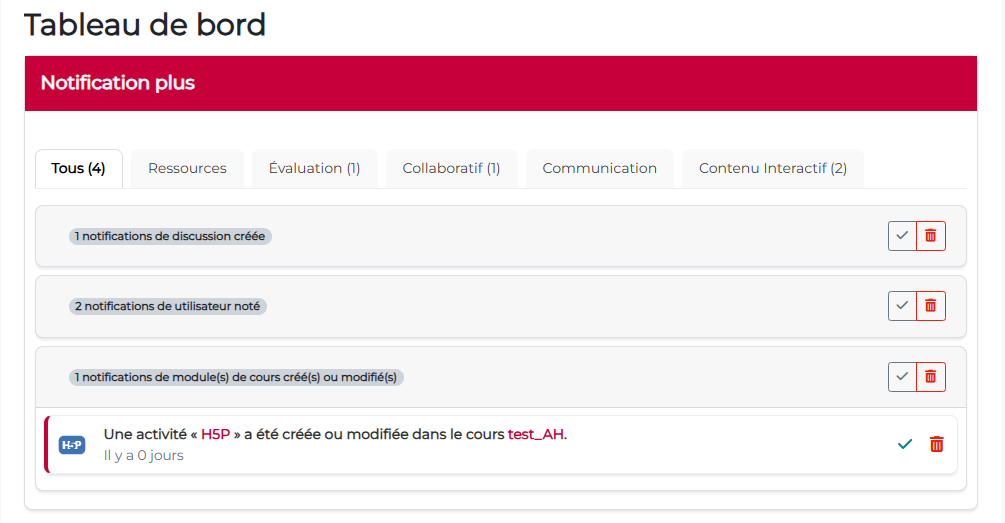
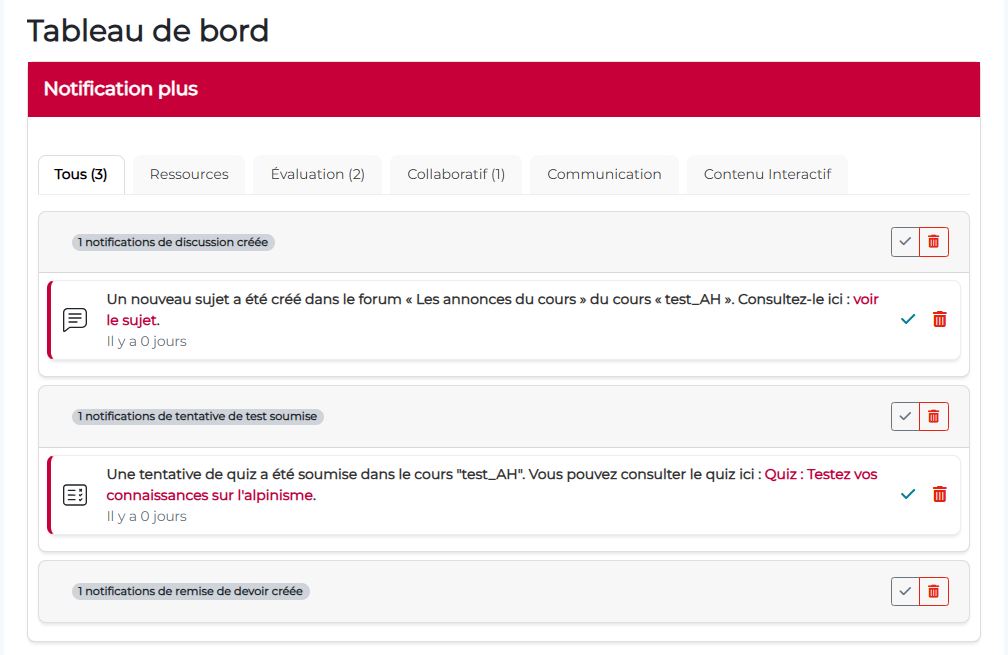
(details of notifications are displayed when clicked)
- Official plugin name: block_notifplus
- Developer: Pimenko, Sylvain Revenu
- Version: Moodle 4.5 et versions ultérieures.
What makes this plugin different from other existing Moodle plugins #
Notif Plus stands out for its simple approach: make the dashboard really useful. Where many solutions are limited to relaying generic alerts or duplicating standard notifications, Notif Plus highlights what really matters to you, at the right time, in a single view.
Its strength lies in three areas:
- Clear centralization: all course news are grouped together in a single block, directly on the dashboard, with immediate access to the activity or resource concerned.
- Personalization by profile: the information displayed is not the same for a learner as for a teacher, in order to remain relevant and avoid noise.
- Consistent classification: notifications are organized according to the 5 official Moodle categories (since 5.1) – Assessment, Collaboration, Communication, Resources and Interactive Content – making them quick and intuitive to read.
Notif Plus also offers concrete control on the user side: everyone can mark as seen/read or delete their notifications to keep the list short and up-to-date. For teachers, the plugin can also limit notifications to the groups being monitored, to avoid overload when several groups or courses are being managed in parallel.
Key features at a glance #
The “Notif Plus” block displays :
 For all users #
 For all users
 - Real-time notifications of new course activities
- Classification by type of activity (resources, assessments, collaborative activities, etc.)
- Direct access to the activities concerned from the notification
- Individual management options (mark as read, delete)
For learners #
- Resources: New files, pages, books and other course materials
- Assessments: New assignments, tests and assessment activities
- Collaborative activities: New entries in glossaries, wiki pages, forums
- Communication tools: New ads and messages
- Interactive content: New H5P activities and interactive elements
In the other tabs, notifications are sorted by type.
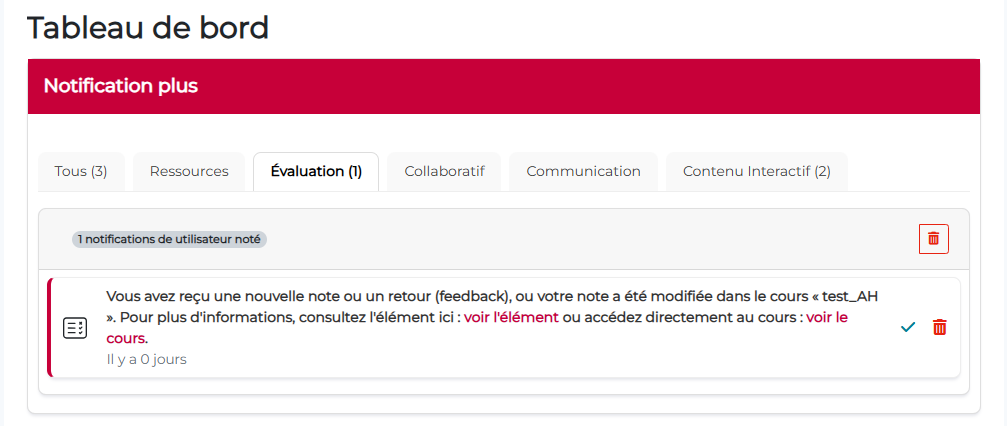
For teachers #
- All learner notifications
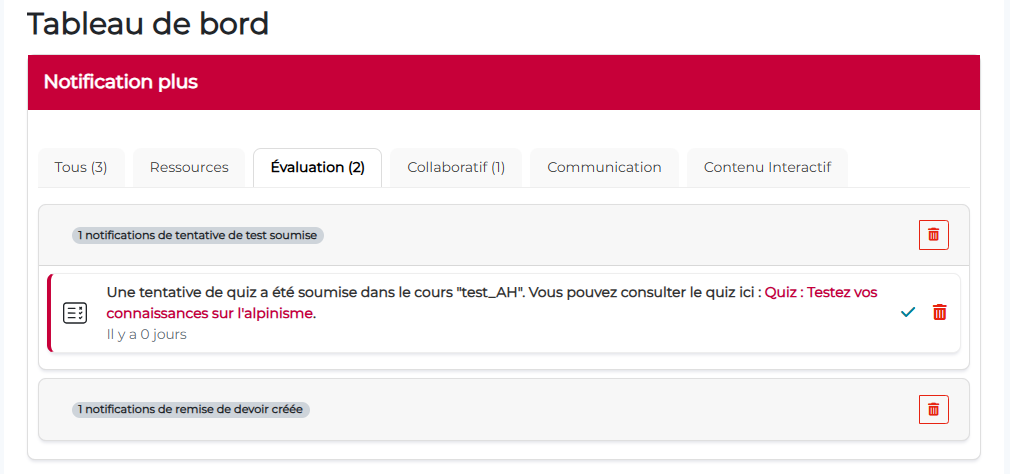
- Homework submitted, test attempts made
- Filtering by group: Only contributions from students in taught groups appear.
Teacher-specific notifications :
Notification management #
In the tab, both the learner and the teacher can choose to delete or “mark as read” a notification, so that it no longer appears at all, or goes to 0.


Advantage: Each user decides when a notification is considered processed, without automation that could lead to important information being missed. Note: Each user manages their own notifications independently. Deleting a notification is personal and does not affect other users.
Step-by-step instructions for using the block #
When the plugin is installed on the site, the “Notif Plus” block appears in the list of available blocks on the dashboard.
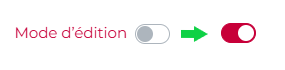
Step 1. Activate edit mode.
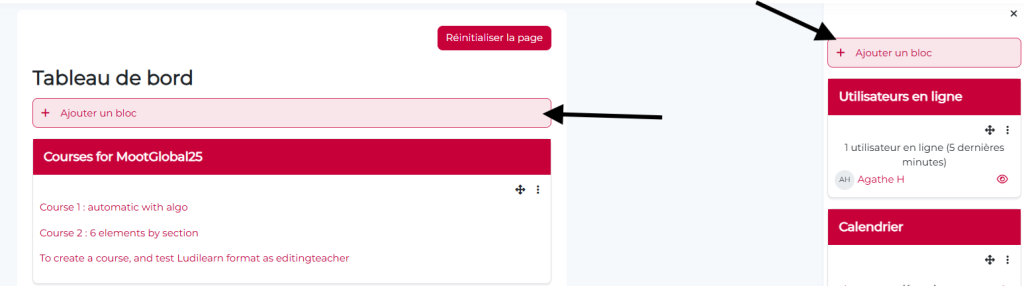
Step 2. Click on “Add a block” from the block drawer to the right or below the “Dashboard” title.
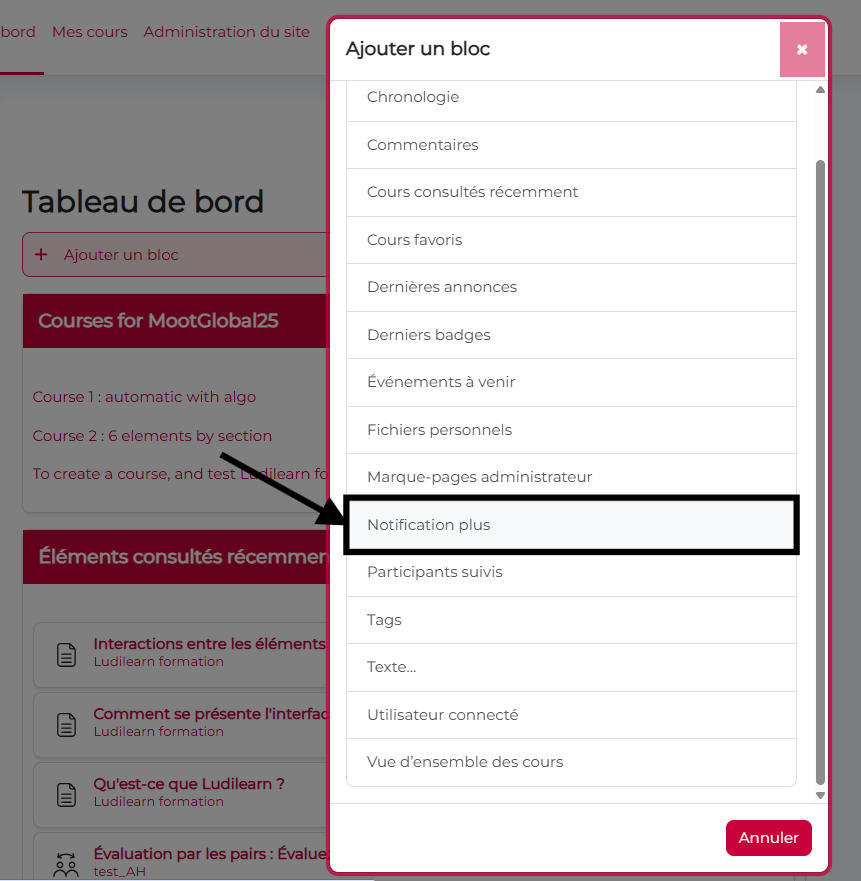
Step 3. Select the “Notif Plus” block in the block selector. The block is added in the designated area.

Step 4. If you have more than one block, you can move it to the desired position.
Step 5. The block immediately starts displaying notifications relevant to your role and courses.
Note: The block automatically displays notifications based on your course registrations and role (student or teacher). No initial configuration is required.
Block configuration #
Pour configurer le bloc et choisir les notifications à faire apparaître :
- Click on the “…” button of the Notification Plus block, then on “Configure Notification Plus block”.
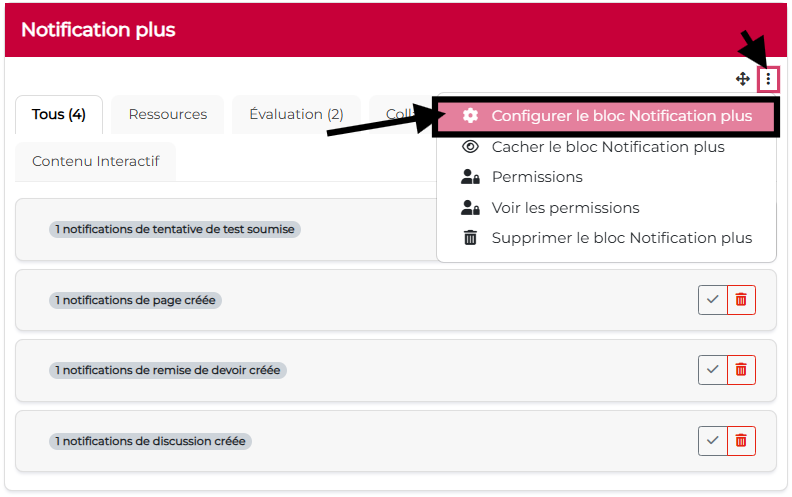
- Select/deselect the desired notification types, then save.

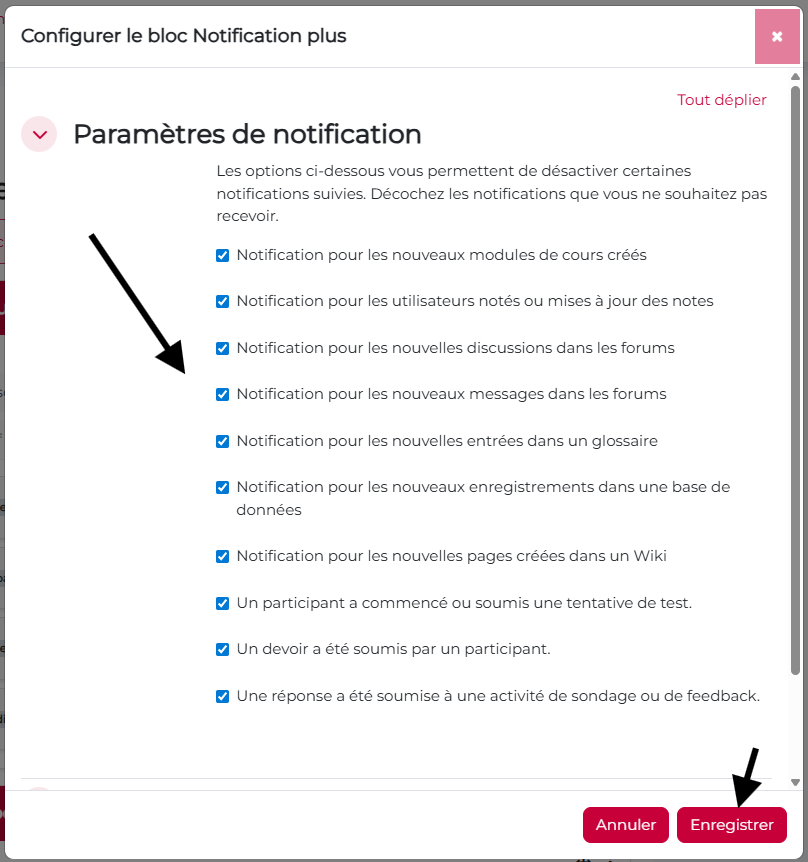

Please note: If you want everyone to receive the same types of notifications, you must configure the block in Site administration > Default dashboard and click on ‘Reset for all users’.
However, if the platform settings allow users to modify their dashboard, they will also be able to configure the block to modify the notifications they receive.
Conclusion #
“Notif Plus transforms the way users interact with their Moodle courses. By providing smart, contextual and fully customizable notifications, this plugin dramatically improves learner engagement and teacher effectiveness.
Key benefits :
- For learners: Never miss a new resource or activity, and stay informed in real time about the progress of your courses.
- For teachers: Efficiently track your students’ contributions and manage your pending assessments without information overload
- For everyone: Enjoy total control over your notification flow, at your own pace
Improve communication and engagement on your Moodle platform with Notif Plus!


