Turn Your Moodle Dashboard Into a Smart Notification Center
Notif Plus montre aux apprenants et aux enseignants exactement ce qui a changé dans leurs cours depuis leur dernière visite. Aucune configuration requise.`
Obtenir Notif Plus sur Moodle MarketPlace
🐣 Early Bird : 79 $ / an jusqu’au 1er octobre 2026 – Ensuite 99 $ / an
💬 Support inclus avec la licence
Complete documentation available
Moodle 4.5
and later versions
20
Moodle activities covered
$69 (early bird)
Per year – all-inclusive

Your Moodle dashboard isn’t telling you anything. Until now.
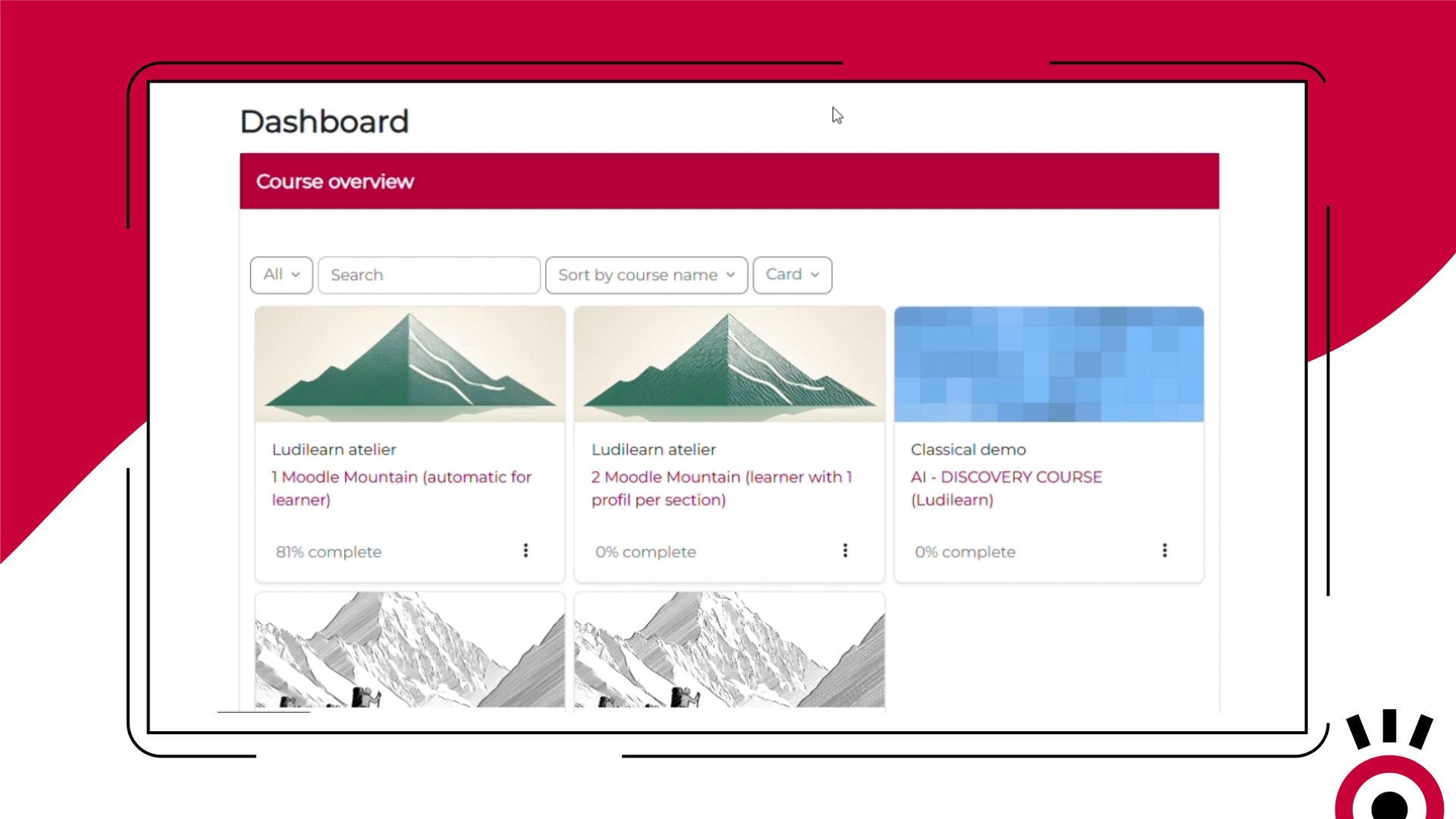
Log in to Moodle. Your dashboard is empty.
You don’t know what has changed in your classes since yesterday. You navigate from course to course, looking for new assignments, forum posts, and available grades.
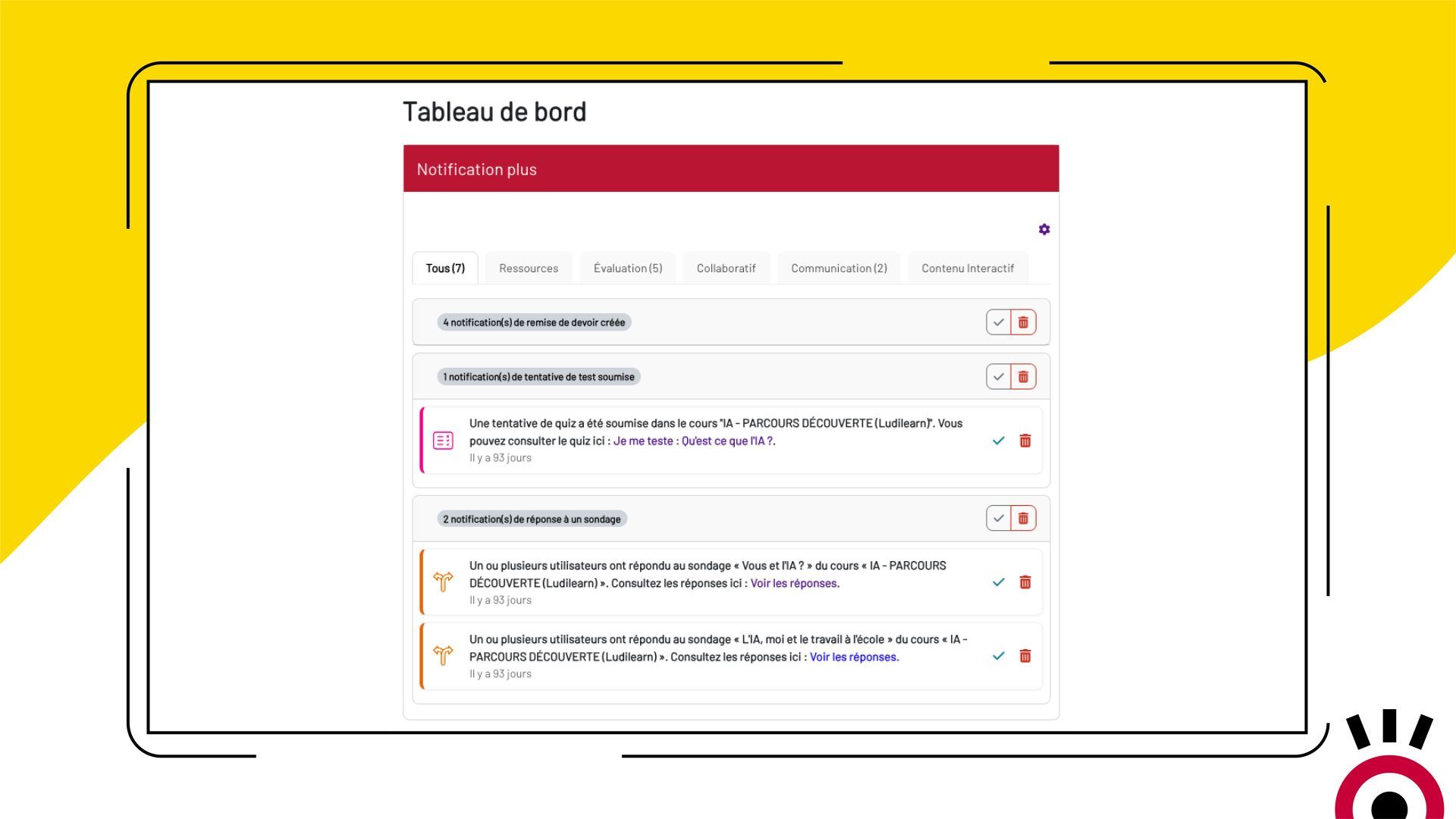
Sorted by Moodle category: assessment, collaboration, communication…
The solution: With Notif Plus, you can see everything in 10 seconds.
Your dashboard shows everything—new resources, submitted assignments, available grades, and forum activity from all your courses—all in one place, since your last visit.
Notifplus
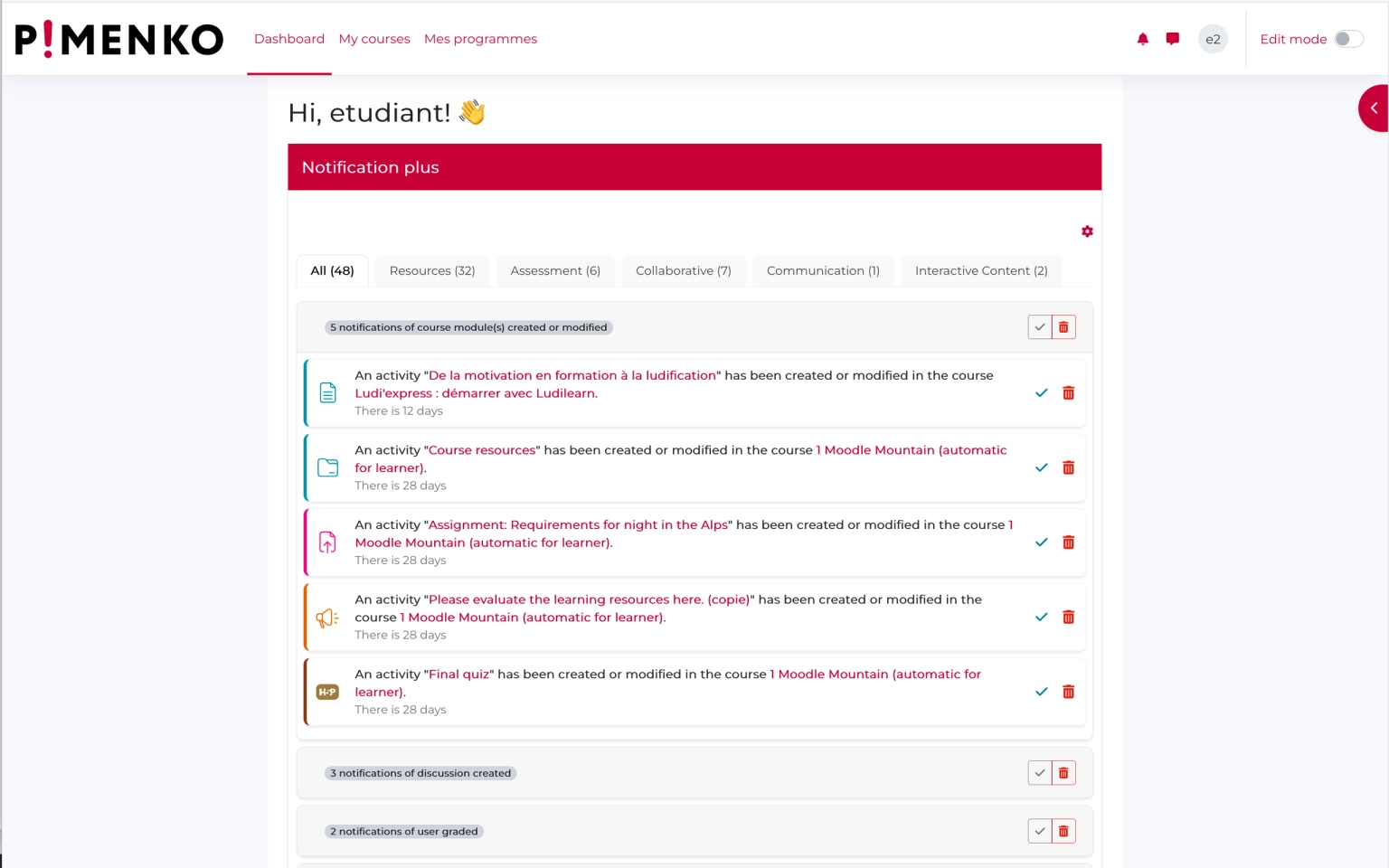
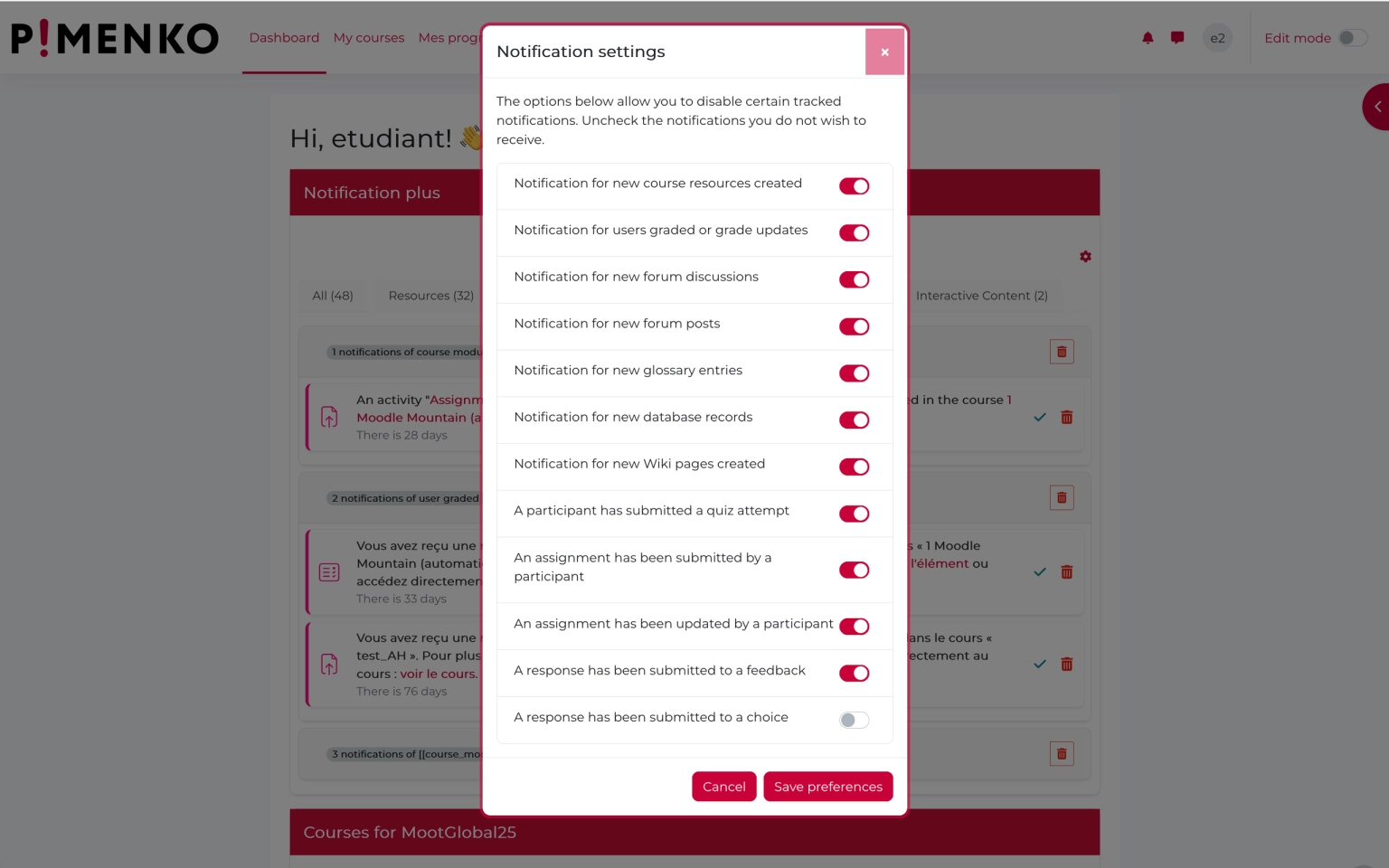
See Notif Plus in action
Everything Notif Plus Does
-
20 types of activities covered
Assignments, resources, forums, grades, wikis, glossaries, H5P… All of Moodle’s main features are supported.
-
5 official Moodle categories
Notifications are organized into the following official categories: Assessment, Collaboration, Communication, Resources, and Interactive Content. Instant reading, no manual sorting.
-
View tailored to your role
Students and teachers do not see the same information. The block automatically adjusts to each user’s profile.
-
Direct access to the activity with just one click
Each notification is a direct link to the relevant activity or resource. No intermediate navigation.
-
All your courses in one place
No need to open each course one by one anymore. All updates for all courses are displayed in a single block on the dashboard.
-
Color Codes by Activity Type
The icons use Moodle’s official colors for each type of activity. Immediate visual identification.
-
Group Filtering for Teachers
Manage multiple groups or courses at the same time without getting overwhelmed: view only the contributions from students in your groups.
-
Mark as read or delete
Each user manages their own notifications independently. The notification will disappear for you, without affecting others.
-
Ready to use in 2 minutes
No initial setup is required. Install the widget on the dashboard, and it will immediately start displaying notifications.
- Accès complet à toutes les fonctionnalités
- Toutes les mises à jour incluses
- Support via tracker
- Compatible Moodle 4.5 & et version suivante
Ready to revamp your Moodle dashboard?
Available on the Moodle Marketplace – from $69 per yearFrequently Asked Questions
Which version of Moodle is Notif Plus compatible with?
Notif Plus is compatible with Moodle 4.5 and all subsequent versions. It is tested and updated with every new major release of Moodle.
Does the license cover all users of my platform?
Yes. The annual license covers all users of your Moodle instance, with no limit on the number of users. One subscription for the entire platform.
Does Notif Plus slow down my platform?
No. The plugin is designed to comply with Moodle’s logic and standards. It only queries data already stored in Moodle and does not slow down your site.
Do users need to configure anything themselves?
No. The module works immediately after installation, without any action required on the part of users. Everyone can then customize their notification settings if they wish, but it’s not required.
What kind of support is included with the license?
Support is provided through our ticket system. Pimenko is a certified Moodle Partner, so you’ll receive support from a team with in-depth knowledge of Moodle.