
Update the look of your Moodle courses and encourage active learner engagement with the Softcourse course format!
Introduction to the Softcourse plugin #
Softcourse is a Moodle plugin developed by Pimenko. It enhances the presentation of courses by displaying sections as visual maps, thereby providing a more engaging and intuitive learning experience for students.
With its customizable images, progress tracking, quick-start button, and activity count display, it promotes an educational approach centered on visual engagement and ease of navigation.
When should you use the Softcourse format?
- For courses that require an aesthetic approach;
- For linear educational pathways, in which activities must be carried out in a specific order (progressive discovery);
- For lessons with a simplified structure (no subsections, few activities).
About Softcourse #
- Official plugin name: format_softcourse
- Developers : Pimenko Team
- Version: Moodle 4.5 and later, compatible with Moodle 5.1
Any questions ? Fancy finding out more?
Features of the Softcourse course format #
Sections displayed as visual cards #
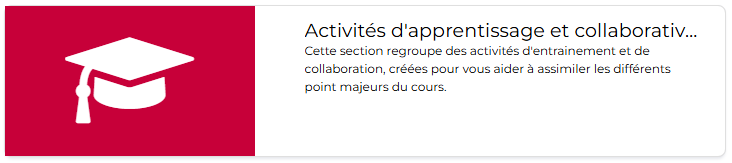
Softcourse transforms Moodle’s traditional look by presenting each section as an attractive visual card.
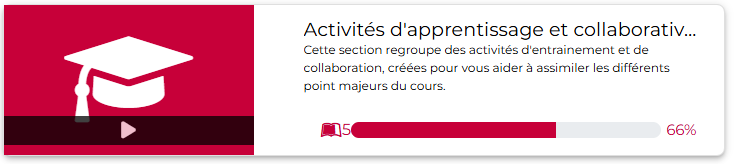
Smooth, elegant animations appear when the user hovers over a section map. The shading becomes darker, progress information and the number of activities gradually appear, and a “play” icon becomes visible. These visual effects create an interactive experience that encourages users to explore the content.
Each card combines:
- a customizable image that displays a “play” button when hovered over, allowing users to go directly to the first activity in the section;
- the section title;
- the section description ( if provided);
- a progress bar showing the user’s progress in this section (number of activities, percentage of activities completed) that appears only when the mouse hovers over it.
This visual layout allows learners to navigate the course intuitively and better identify the content of each section.
Customizable images for each section #
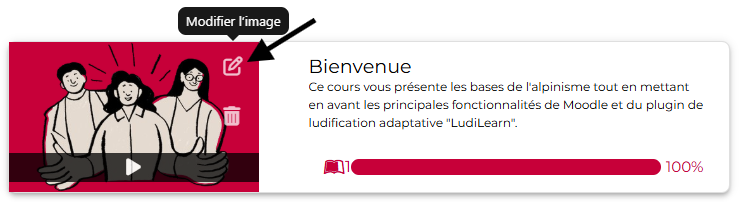
Teachers can upload and manage custom images for each section of the course. In edit mode, icons appear when you hover over an image, allowing you to edit or delete it. This feature helps create a consistent visual identity and makes the course more appealing. Images are displayed on a colored background (the platform’s primary color, defined in Site Administration >, Layout >, Theme >, General Settings) if they do not fill the entire box or if they have a transparent background, for example.
Quick Start Button #
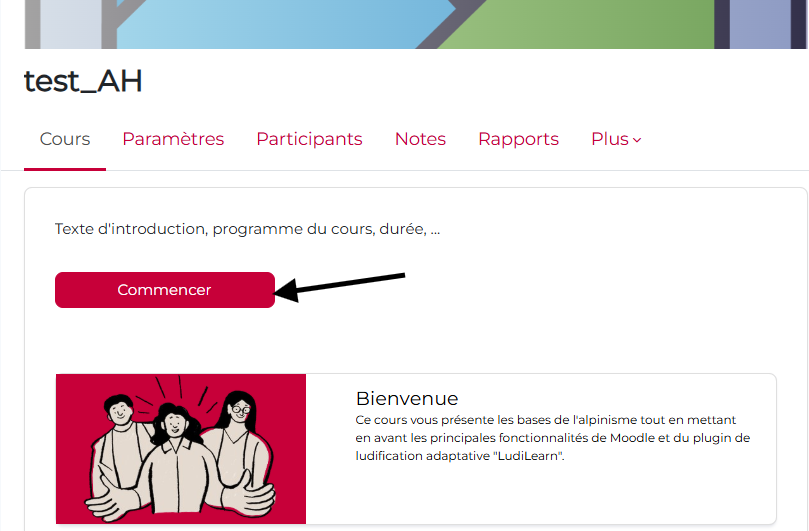
A “Get Started” button is available on the course homepage to allow studentsto quickly access the content. In addition, each section tab is clickable and links to the first activity in that section, making navigation smooth and intuitive without the need for unnecessary searching.
 How do I customize the Start button? #
 How do I customize the Start button?
 In fact, you can change the label of the “Start” button. To do this:
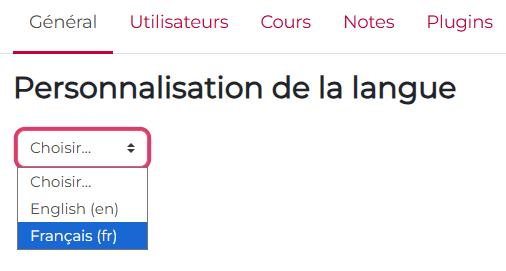
- Go toSite Administration > General > (tab) Language > Language Customization
- Select “French”
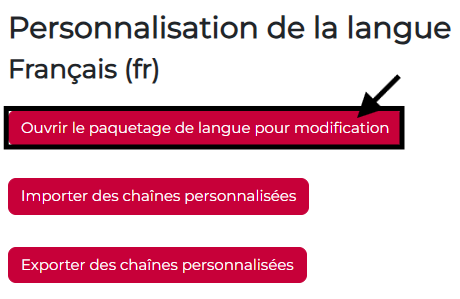
- Click the “Open language package for editing” button.
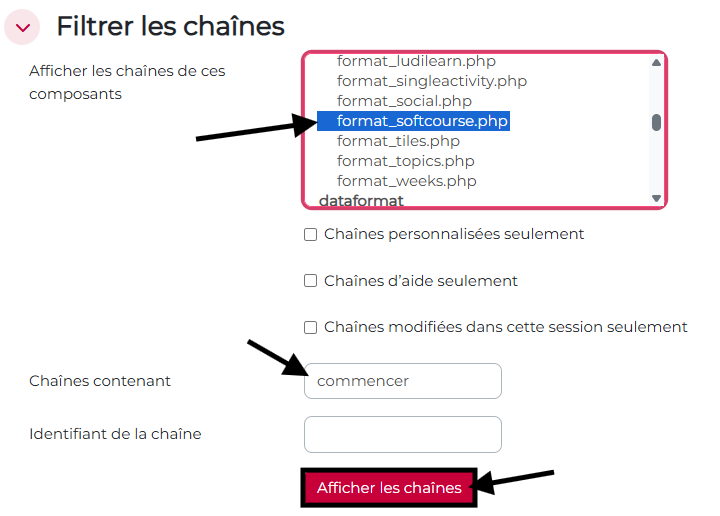
- Select the string “format_softcourse.php”, enter “Start” in the “String containing”tab, and click “Show strings”.
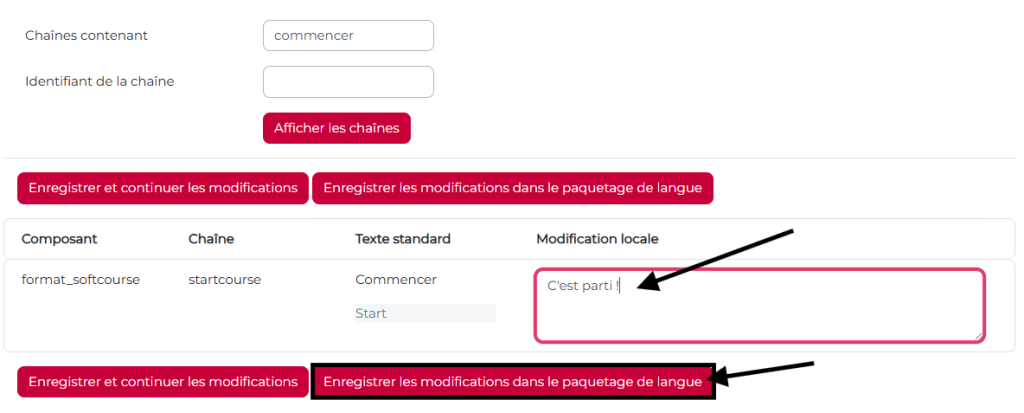
- The text box for the “Start” button in the Digidago format will appear; all you have to do is enter the replacement text of your choice and save.
Customizable Course Introduction #
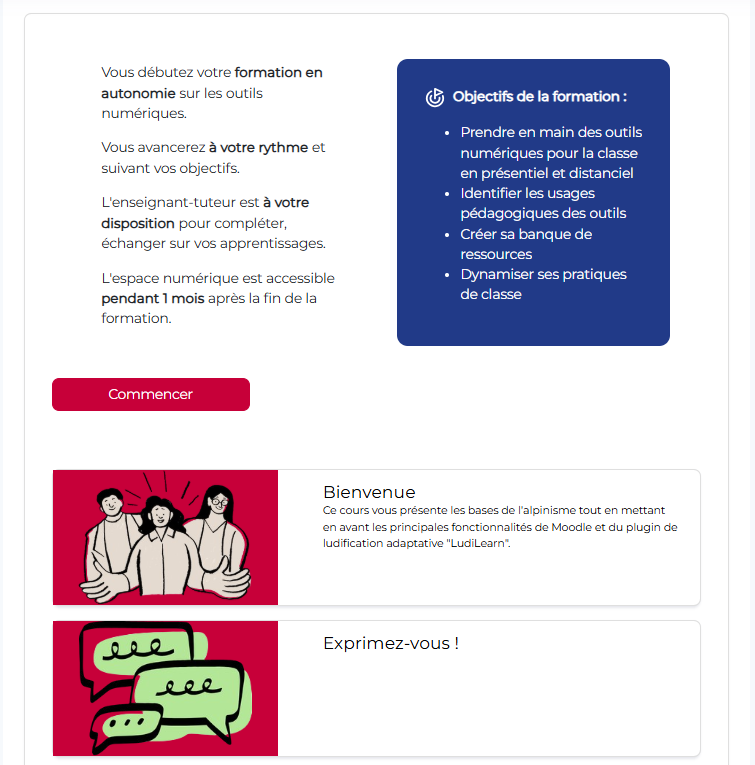
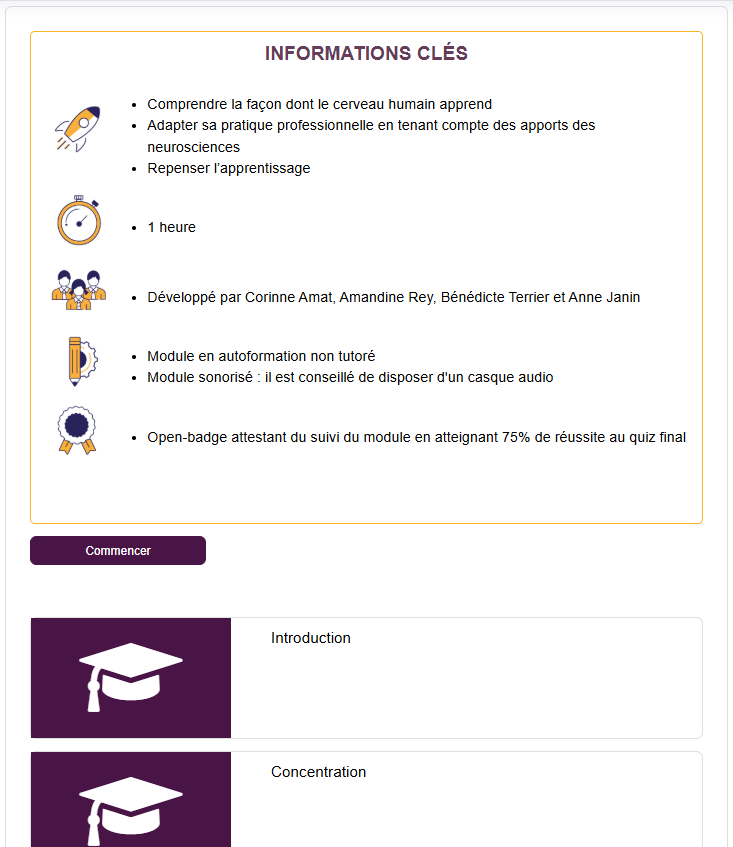
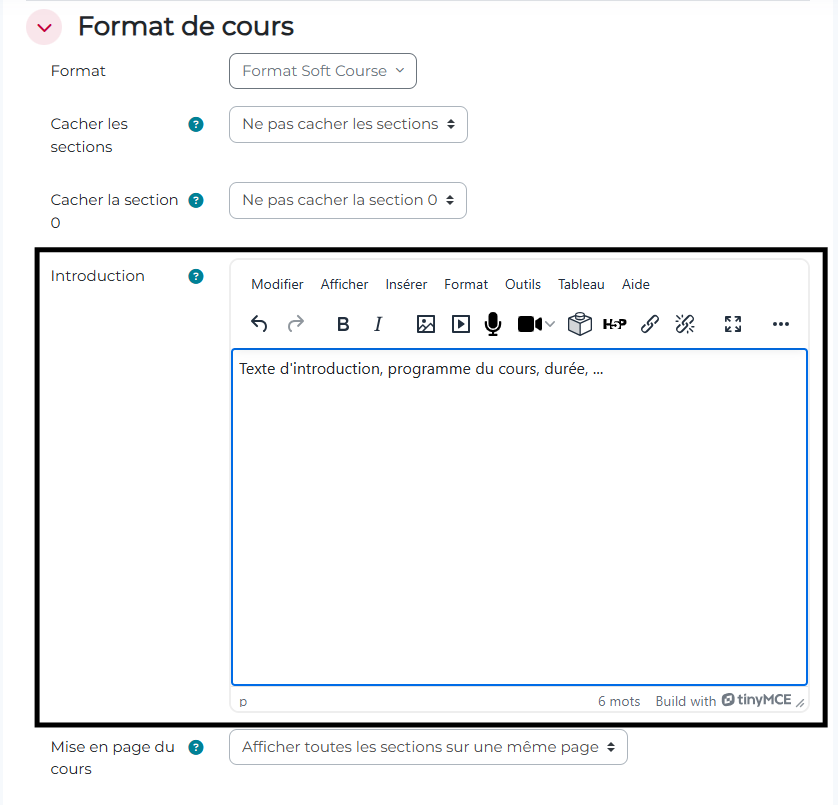
Instructors can add a custom introductory message that appears at the top of the course page. This feature allows you to provide context for the course, outline the learning objectives, or add important information for learners as soon as they arrive on the page.
Examples #
Options for hiding sections #
Softcourse offers two configuration options to customize the course display:
- Hide all sections: Hides all sections of the course on the main page. The user must therefore click the “Start” button
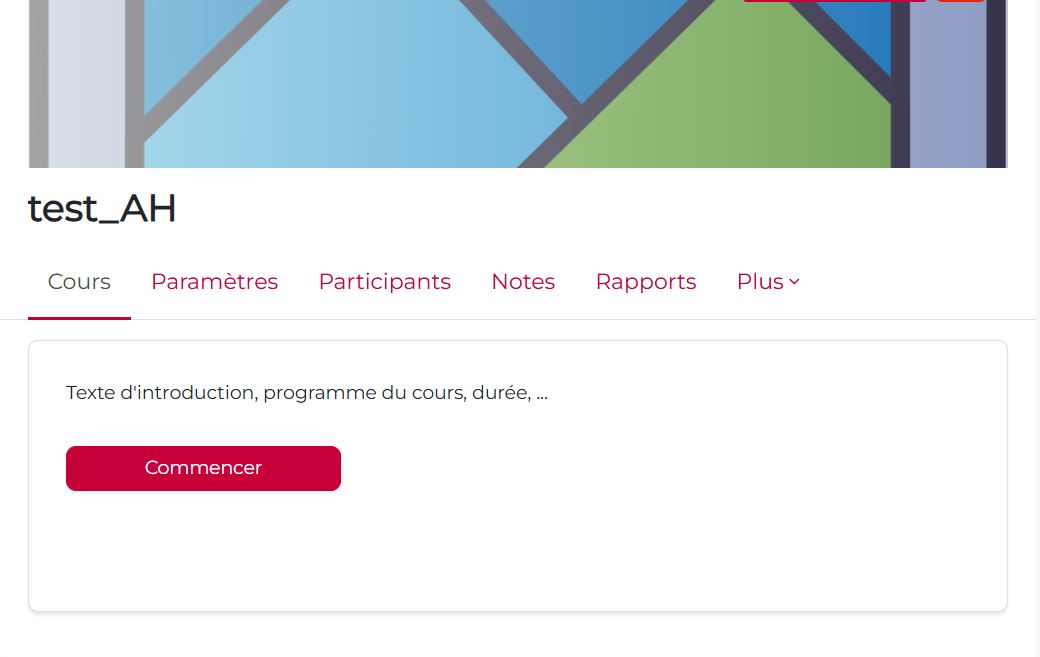
Note: This option is recommended when the course is designed as a guided journey with a step-by-step progression. The learner first lands on an introductory page and starts the course by clicking the “Start” button, without immediately seeing all the activities. It is particularly well-suited for linear training programs, beginners, short modules, or structured learning scenarios.
For example, for courses that include:
- A page containing an introductory video, followed by a content page detailing the topic, followed by a final quiz;
- Several pages containing Storyline modules (activities outside of Moodle that already contain all the necessary information, such as quizzes, etc.), to be completed in a specific order;
- …
- Hide Section 0: Hides only the general section (Section 0) of the course
These options allow instructors to precisely control what is visible on the course homepage.
Responsive and compatible design #
Softcourse was built with a fully responsive design that automatically adapts to different screen sizes (computers, tablets, smartphones). The plugin is compatible with various Moodle themes, including the Boost theme, and integrates seamlessly withMoodle’s native course directory for optimal navigation.
Conclusion #
Softcourse is a powerful tool for modernizing the look and feel of Moodle courses, with a focus on attractive visual design and intuitive navigation. By combining modern design with advanced educational features (progress tracking, activity tracker, quick access to content), it facilitates an engaging learning experience and encourages active learner participation. This allows teachers to create visually appealing and well-structured learning paths without requiring advanced technical skills.


