Showcase your best courses where your learners look first.
Cours à la une est un bloc Moodle qui vous permet de sélectionner et d’afficher les cours de votre choix sur la page d’accueil, le tableau de bord ou à l’intérieur de vos cours. En quelques clics, les bons cours sont visibles au bon endroit.
Bientôt sur la Moodle Marketplace, disponible sur Github dès maintenant
🐣 Gratuit pour toujours !
Complete documentation available
Moodle 4.0+
and later versions
Several locations
Home · Dashboard · In Progress
100% free
open source on GitHub

The courses you want to highlight are getting lost in the catalog.
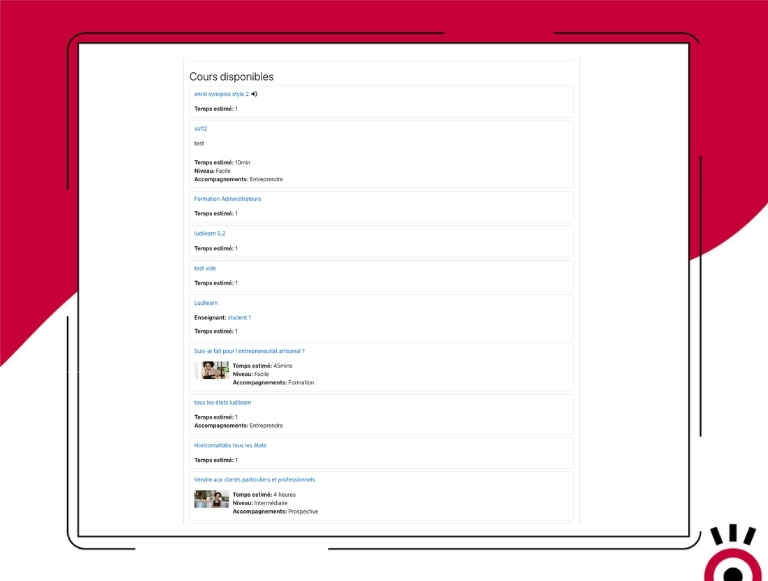
On a Moodle platform with dozens of courses, learners don’t always know what’s important, new, or a priority. Moodle’s default catalog displays courses in alphabetical order or by category—not according to your priorities. Key training programs, new offerings, or courses on the same topic remain hidden because they aren’t highlighted.
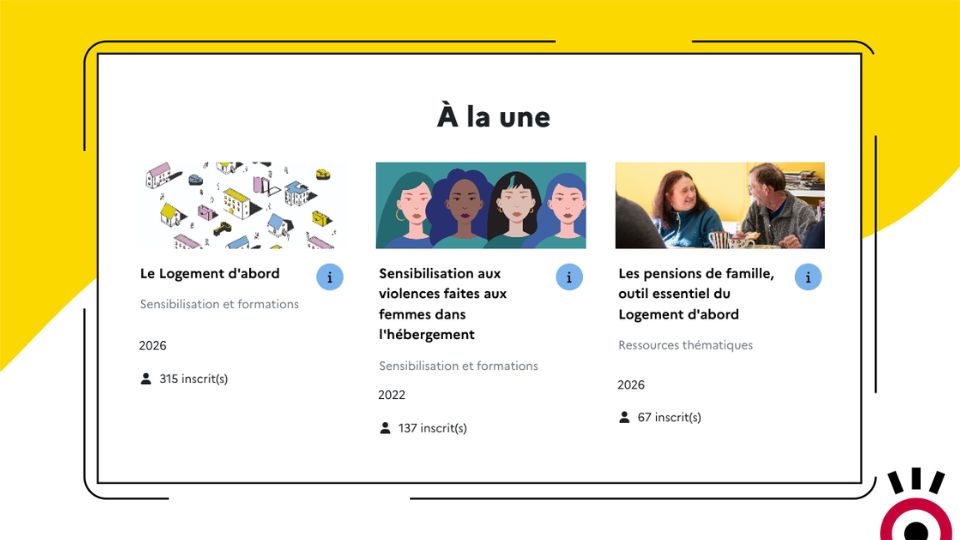
The solution: “Featured Courses” puts exactly the right courses in the right place.
Select the courses you want to feature, choose where to display the block, and in what order. The rest happens automatically: the image, title, category, tags, and additional information appear immediately. No technical skills required.
Everything Cours à la une Does
-
Manual selection of courses to be valued
Use the built-in search bar to choose exactly which courses to highlight. No automatic rules—you retain full control over what is visible and highlighted.
-
Flexible placement across the entire platform
The block can be added to the site’s home page, the learners’ dashboard, or within a course. A single block can thus be used to welcome visitors, guide registered participants, or create links between thematic training programs.
-
Fully Customizable Display Order
Courses are displayed in the order you specify, not in alphabetical order or by date. Prioritize new releases, mandatory training, or recommended learning paths—it’s up to you.
-
Automatically Enhanced Visual Display
Each course is displayed with its image (a placeholder image is generated automatically if no image has been specified), its title, category, tags, custom fields, and a button to view the description. A professional display with no additional setup required.
-
Number of registered users (can be displayed or hidden)
By default, the block displays the number of participants in each course. This information can be hidden in the site’s admin panel if you prefer not to display it.
-
Build connections between thematic courses
Placed within a course, the module helps suggest related courses on the same topic. A simple tool to encourage skill development and increase engagement on the platform.
- Accès complet à toutes les fonctionnalités
- Toutes les mises à jour incluses
- Support via tracker
- Compatible Moodle 4.0 & et version suivante
Ready to put your important lessons right in front of your students?
Get it on GitHub – freeFAQ
Do you need administrator rights to add the block?
No. The block can be added by any user with editing permissions on the relevant page. On the home page and the dashboard, administrator access is required. Within a course, the instructor can add it themselves.
What happens if a course doesn't have an image?
The block automatically generates a visual pattern for courses without images. The display remains consistent and clean even if some courses are not illustrated.
Can the same course be listed in several different sections?
Yes. You can create multiple instances of the block in different locations on the platform, with different course selections for each one.
Which version of Moodle is the plugin compatible with?
“Featured Courses” is compatible with Moodle 4.0 and all later versions.
Is the plugin free?
Yes. “Featured Courses” is an open-source plugin developed and maintained by Pimenko, available for free on GitHub.