Convert the completion of Moodle activities into actionable training time reports
LearningTime comptabilise le temps d’apprentissage à partir de l’achèvement réel des activités, pas du temps passé devant l’écran. Des données fiables, directement exploitables pour Qualiopi, CPF et vos bilans de formation.
Obtenir LearningTime sur la Moodle Marketplace
🐣 Early Bird : 99 $ / an jusqu’au 1er octobre 2026 – Ensuite 139 $ / an
💬 Support inclus avec la licence
Complete documentation available
Moodle 4.5
and later versions
Qualiopi – CPF – OPCO
Complies with traceability requirements
Ready-to-use report
Included directly in the course reports

You measure the time spent. Not part of the apprenticeship.
Your platform knows whether a learner has opened an activity. Other plugins tell you how many minutes a tab has been open. But an open tab does not mean an activity has been completed—and this biased data does not meet Qualiop or CPF requirements or educational needs.
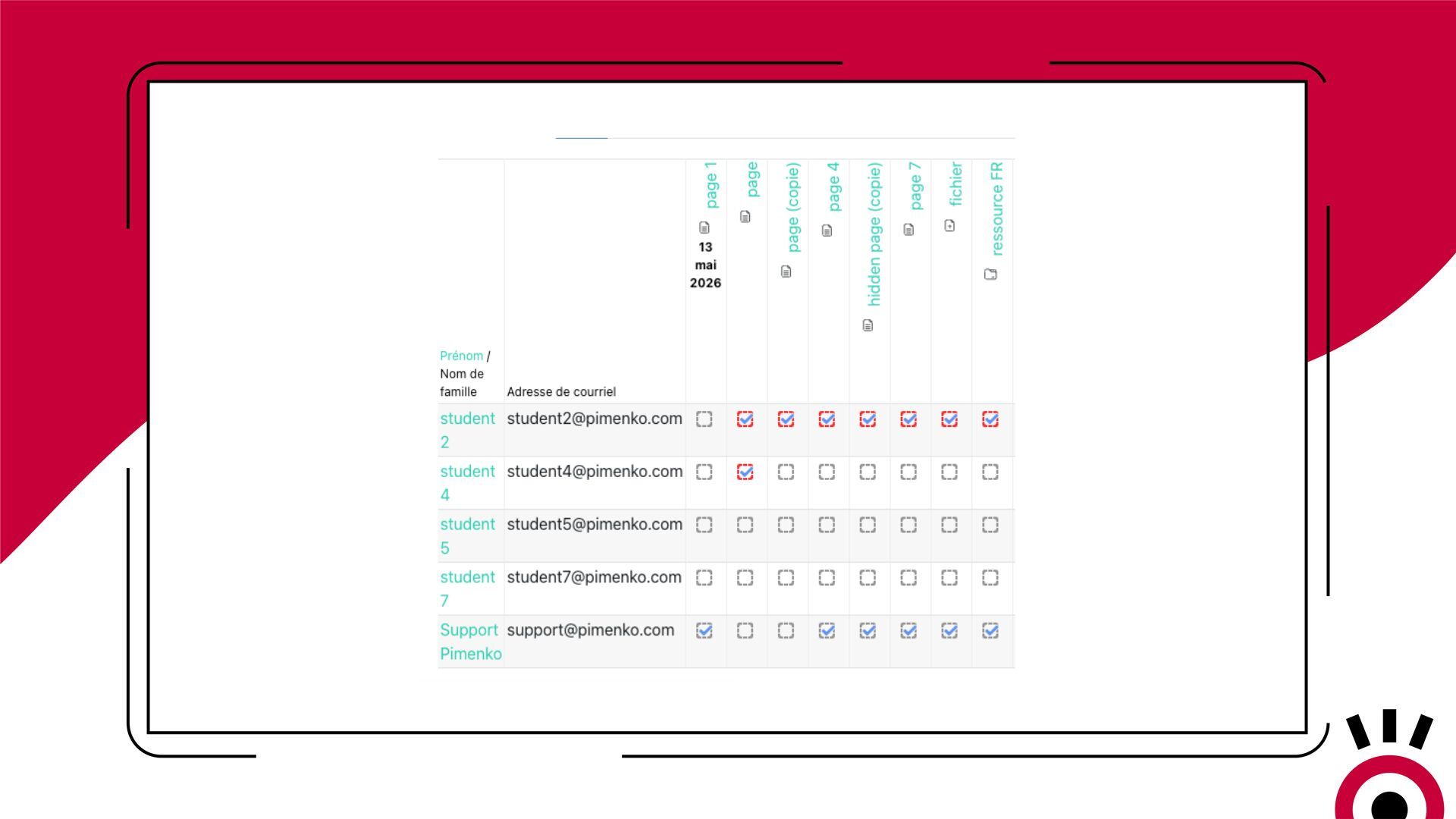
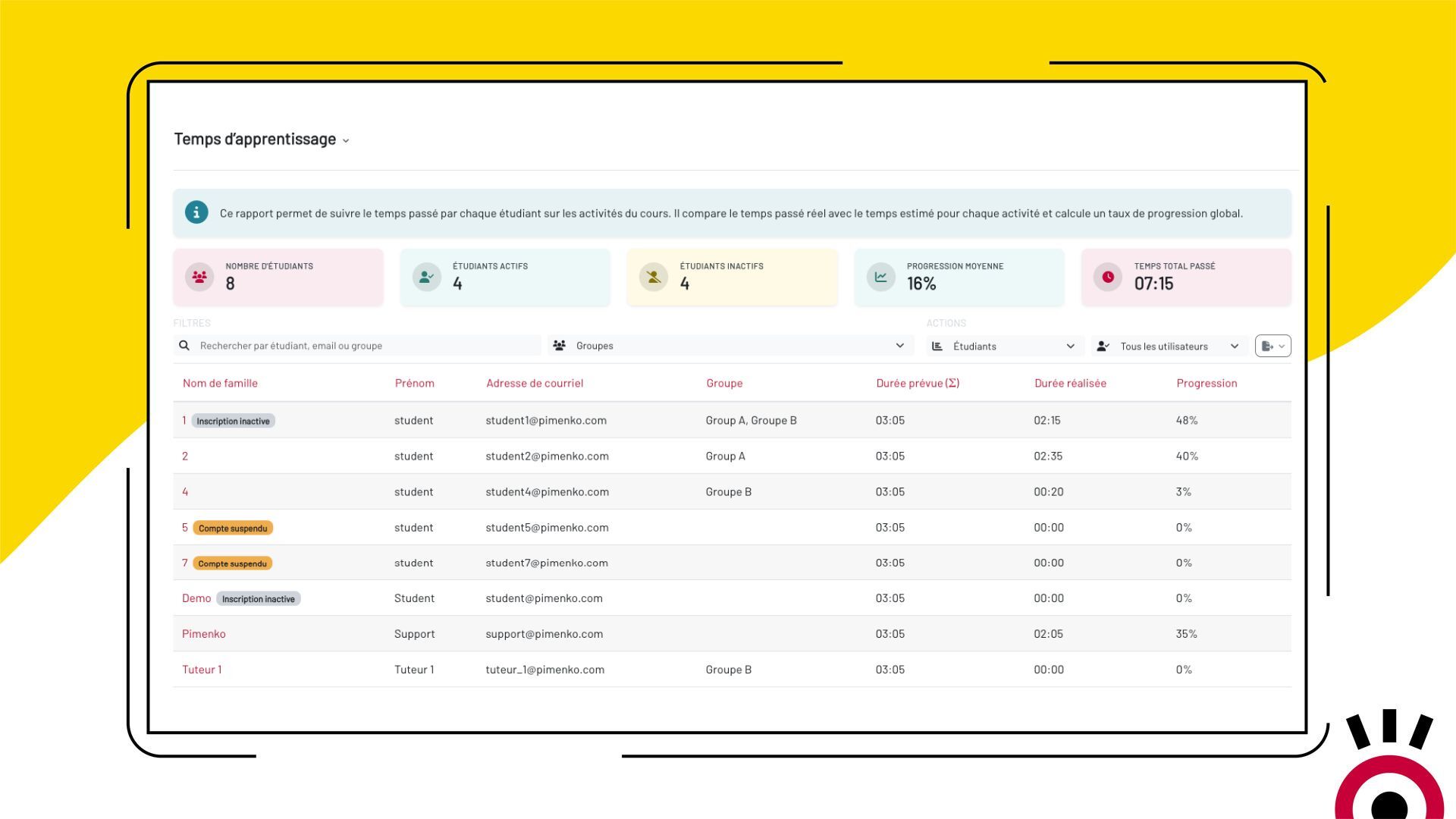
The solution: LearningTime measures what really matters—the work that gets done.
It is the actual completion of an activity that triggers the recording of time: the time that you, the teaching team, estimated for that activity. The data is reliable, unbiased, and can be exported directly to meet your reporting requirements.
LearningTime
Discover how LearningTime transforms Moodle activity tracking into actionable training time reports for Qualiopi and your educational assessments.
Everything LearningTime Does
-
Time based on actual completion
Time is recorded only when an activity is actually completed. Inactive sessions and tabs open in the background do not skew the results.
-
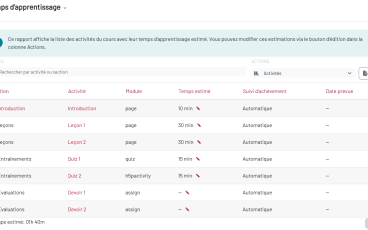
Estimated duration by activity
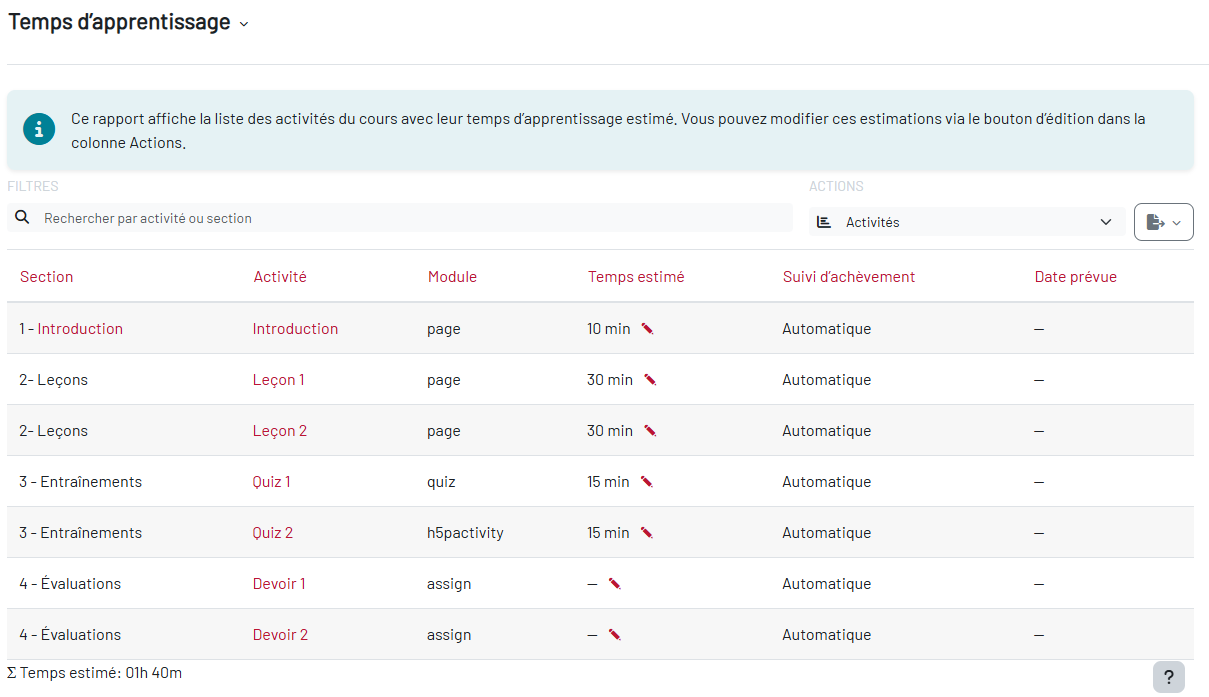
With just a few clicks, set the estimated time for each activity or resource. The teaching team determines the duration, adjusting it based on the difficulty and actual volume of each topic.
-
At-a-glance overview
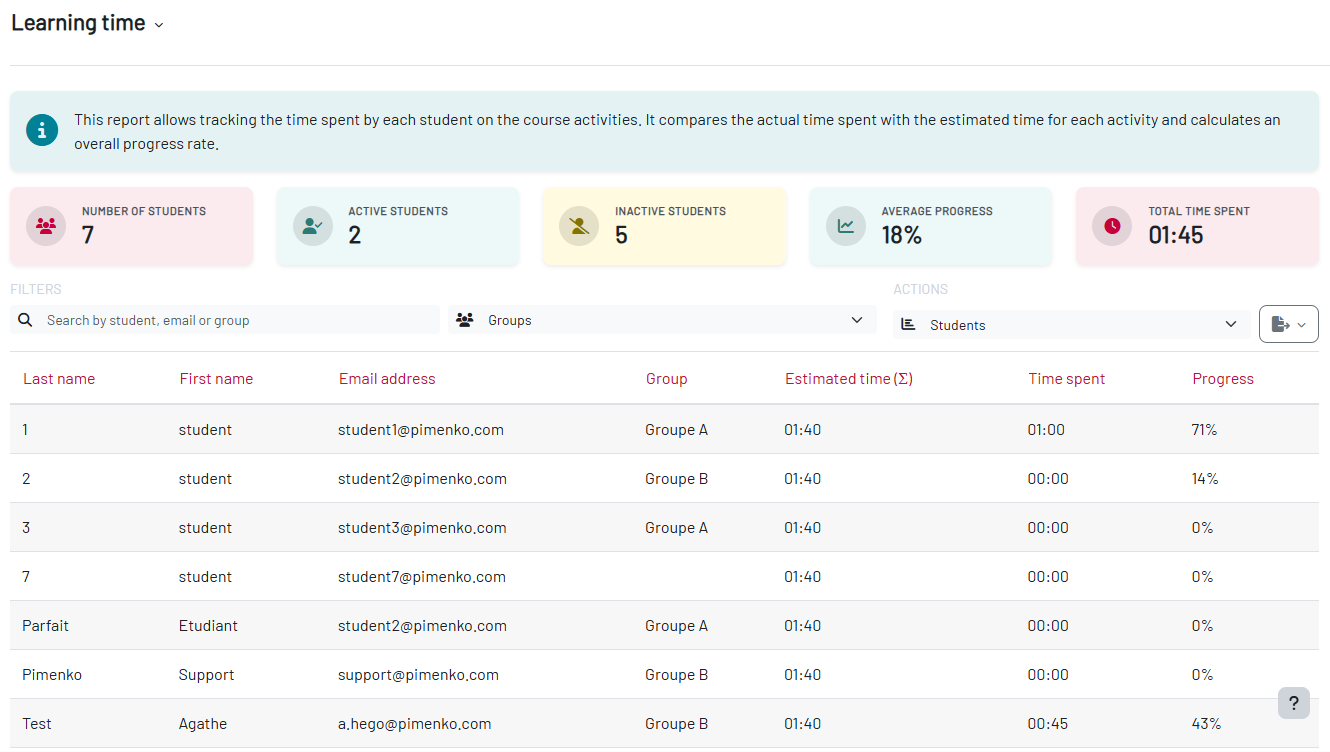
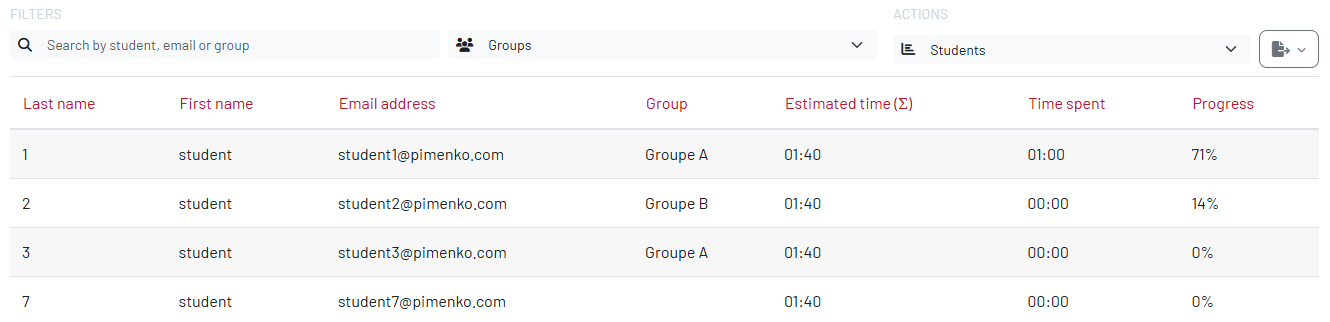
Overall progress of participants, number of active and inactive learners, total validated learning time: everything is visible as soon as you open the report, at a glance.
-
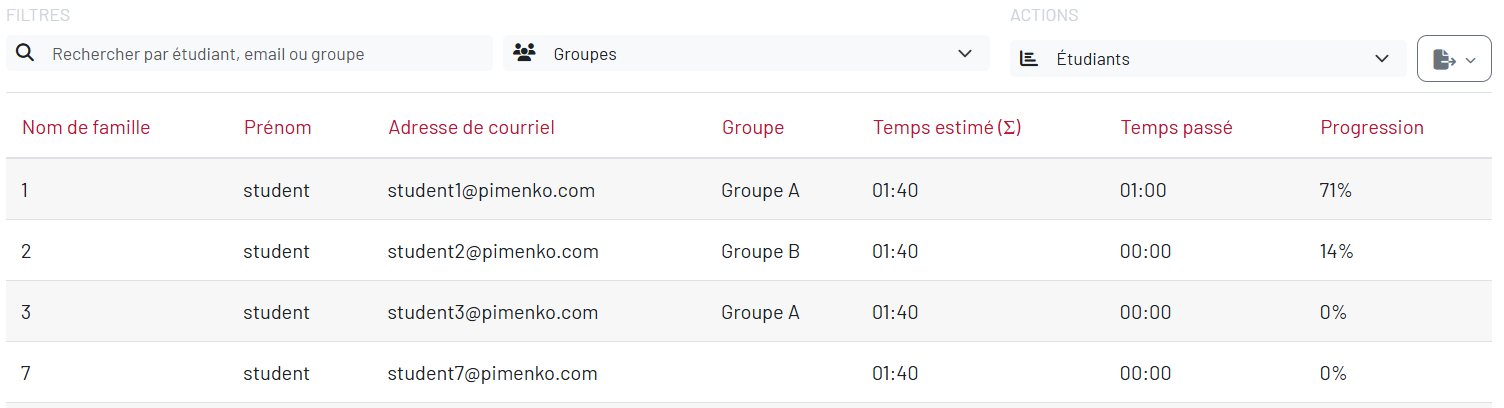
Individual Report by Learner
For each participant, view: the estimated duration, the actual duration, the progress rate, the group, and the registration status.
-
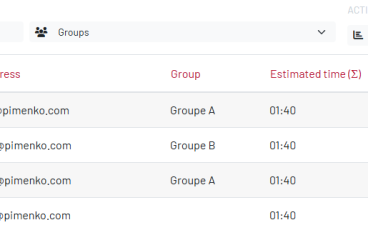
Filter by group
If multiple groups are enrolled in the course, display only the learners from the desired group to ensure targeted monitoring without overwhelming yourself.
-
Compliant with Qualiopi, CPF, and OPCO
The generated report directly meets the traceability requirements of training organizations that are certified or in the process of becoming certified. Justify your training hours without any extra effort.
-
Reliable and unbiased data
By focusing on completion rather than time, LearningTime provides consistent, reliable, and pedagogically relevant data.
-
Accessible without administrator privileges
The report is available directly from the “Reports” tab in each course. The teacher can access it without going through the site administration.
-
No complex initial setup
Install the plugin, open a course report, and enter the estimated durations for your activities. Monitoring begins immediately.
- Accès complet à toutes les fonctionnalités
- Toutes les mises à jour incluses
- Support via tracker
- Compatible Moodle 4.5 & et version suivante
Ready to quantify your learners’ training time?
Available on the Moodle Marketplace—starting at $99/year (early bird)Frequently Asked Questions
How is LearningTime different from other time-tracking plugins?
Do you have to be an administrator to use LearningTime?
Does the plugin work if I haven't enabled activity completion in my course?
Is the report sufficient for Qualiopi certification?
Can I filter the report by learner group?
Which version of Moodle is LearningTime compatible with?
LearningTime is compatible with Moodle 4.5 and all later versions.